 7 Data Recovery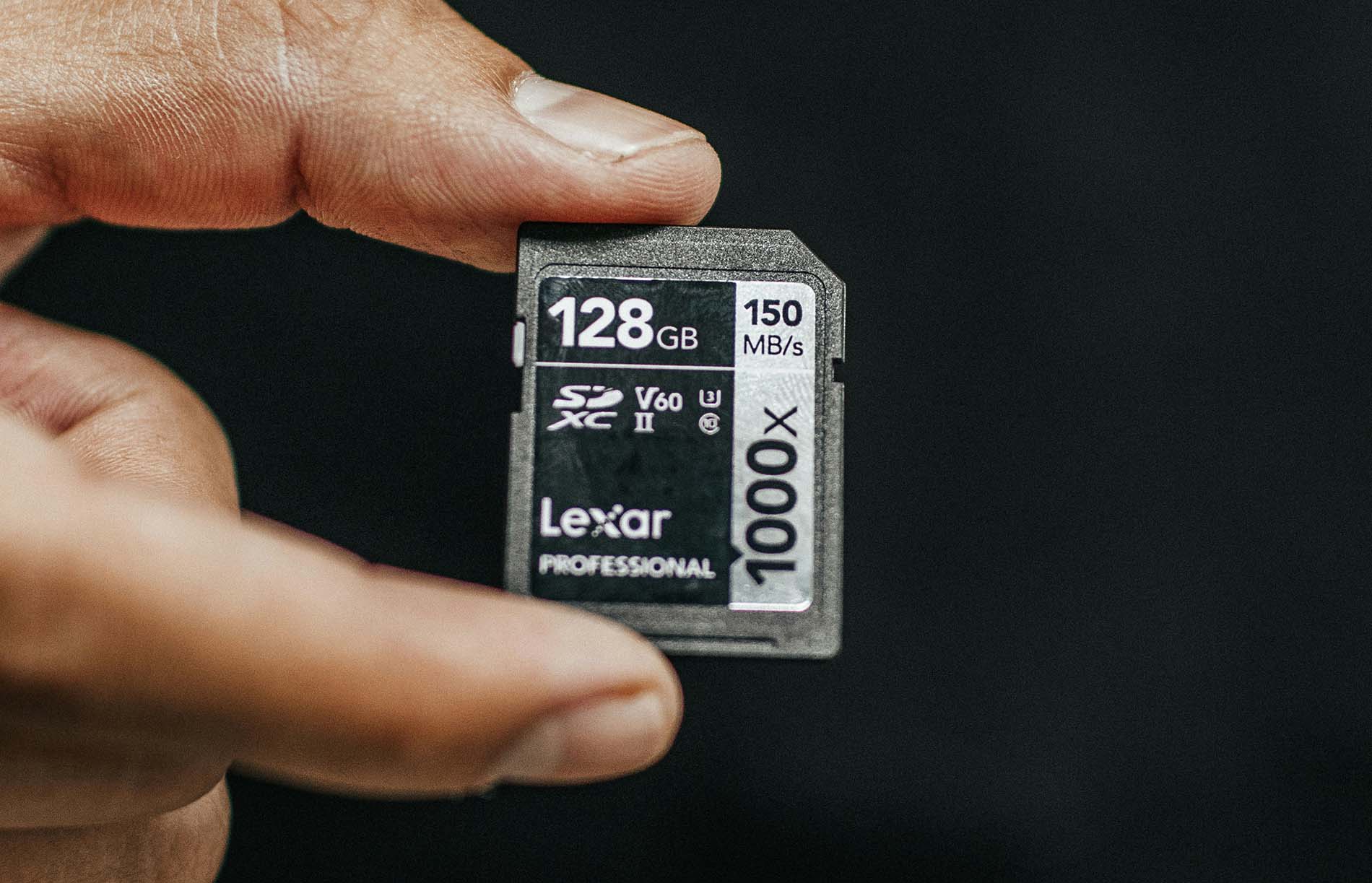
What is an SD card? It’s a small, flat chip that stores digital data – photos, videos, music, or any kind of file you save on your device. SD stands for Secure Digital, and it’s one of the most common types of memory cards you’ll find today.
People often confuse SD cards with memory cards, and technically, they’re not wrong – every SD card is a memory card, but not every memory card is an SD card. “Memory card” is a broader name that includes many formats like microSD, CompactFlash, or CFexpress. The SD card is just one of them, but it has become the most popular.
The first SD cards appeared in the late 1990s as a better version of the old MMC (MultiMediaCard) standard. Over time, they evolved, getting faster, smaller, and more capable. Now you can find SD cards in different sizes and versions, from standard SD to miniSD and microSD, each built for a specific kind of device.
How Do SD Cards Work?
An SD card records information by storing electrical charges inside millions of microscopic cells. These cells use flash memory, which can trap or release electrons to represent binary data – 1s and 0s. Because of this design, SD cards retain data even when removed from a device or disconnected from power. Most models rely on NAND flash, which offers high speed and density, while some use a mix of NAND and NOR memory to balance performance and stability.
All data operations (saving, deleting, or reading) happen electronically, without any moving parts. This makes SD cards silent, fast, and resistant to physical wear. A small switch on the left side adds another layer of protection: when toggled down, it locks the card to prevent changes; sliding it up restores normal access. The result is a compact, durable storage medium that safely handles constant writing.
SD Card Labeling and Specifications
If you’ve ever looked closely at an SD card, you’ve probably noticed a bunch of small symbols printed on it. They’re not random, each one explains what the SD card is capable of in terms of capacity, speed, and compatibility.
The capacity label is usually the easiest to spot. It tells you how much data the card can hold and what type it belongs to:
- SD – up to 2 GB
- SDHC (High Capacity) – 4 GB to 32 GB
- SDXC (Extended Capacity) – 64 GB to 2 TB
Next comes speed, which matters most for photographers and videographers. The number inside a circle (like 10) shows the Speed Class, while a “U” symbol marks the UHS Speed Class – U1 handles Full HD, and U3 supports 4K video.
Some newer cards also include a “V” for Video Speed Class or an “A” rating (A1, A2) to show how well they perform with smartphone apps.
You might also notice a label like UHS-I, UHS-II, or UHS-III printed near the bottom. This refers to the bus interface, basically, how the card communicates with your device. Higher versions allow faster data transfer, but only if your camera or reader supports them.
The Forms and Standards of SD Cards
Although all SD cards share the same name, not every one of them looks or performs the same. The name itself gives away part of its story – what does SD card stand for? It stands for Secure Digital, a standard created to make portable storage reliable and widely compatible across devices. There are three main form factors: SD, miniSD, and microSD.
The smaller miniSD (21 × 20 mm) was common in early mobile phones but quickly disappeared after the rise of microSD, which became the global standard for compact devices. These tiny cards are the ones you’ll usually find in smartphones, so when people ask what an SD card is in a phone, it simply refers to this microSD format. It works the same way as a full-size SD card and can even fit into a standard slot through an adapter.
Form alone doesn’t define performance, that’s where standards come in. SD cards evolved through four main generations:
- The SD (Secure Digital) format stores up to 2 GB of data and uses the FAT16 file system. It’s now mostly outdated but was the foundation for everything that followed.
- SDHC (High Capacity) cards range from 4 GB to 32 GB and rely on FAT32, which allows faster data transfers and better support for large files.
- SDXC (Extended Capacity) versions start at 64 GB and go up to 2 TB. They’re formatted with exFAT and work best for HD and 4K video recording.
- Finally, SDUC (Ultra Capacity) pushes the limits even further, in theory, it can reach 128 TB and is mainly intended for industrial systems or next-generation 8K production.
Each standard builds on the previous one, adding more storage and speed. A newer SDXC-compatible device can usually read older SDHC or SD cards, but older devices may not recognize newer formats, mostly because of differences in file systems and voltage requirements.
So when you pick a card, size isn’t everything. The form factor determines where it fits, while the standard decides how much it can hold and how fast it moves your data.
Future of SD Cards
The story of SD cards doesn’t end here. Even as many devices move toward built-in or cloud storage, SD cards continue to grow in both capacity and performance. According to the SD Association, high-capacity cards now dominate the market, and the demand keeps rising thanks to devices that constantly capture or store large amounts of data, such as drones, dashcams, and gaming consoles.
The newer generations, like SDUC (Ultra Capacity) and SD Express, represent the future of removable storage. SDUC pushes storage limits up to 128 TB, while SD Express introduces PCIe / NVMe technology that brings SSD-level speed to an SD card form factor. That means these cards can easily handle 8K video, RAW photography, or professional data workflows without slowing down.
Still, the main reason SD cards remain relevant isn’t only performance – it’s convenience. They are small, durable, and swappable, letting users move data instantly without cables or internet access. Even if phones and laptops rely more on internal storage, cameras, security systems, and portable devices will continue to depend on SD technology for years to come.
The future of SD cards looks like larger storage, higher speed, wider application (especially in pro gear and industrial use), and still the convenience of hot-swappable storage. If you’re picking a card today, think ahead that your choice should handle not only today’s files, but tomorrow’s demands too.